en
en 

We at iuvo strive to ensure comfort, security and flawless user experience to all our users. This is the main reason why we continuously improve everything connected with iuvo, including our portal.
In March, we introduced a couple of new features, which will make purchasing of receivables and managing your account much easier and intuitive. Let’s dive into some of them in this blog post.
- Cart – When you select the loans in which you would like to purchase in you can add them to a “Cart”. It is a great feature which enables you to manage and add additional loans before your final approval.
- Loan details pop-up window – On click, every signle loan now opens in a new window on the same page. For more convenience, we also added a quick “Purchase” button in the pop-up.
The main goal of the new portal features is to deliver flawless experience and comfort when you use them.
How they work and why they are useful?
- Cart
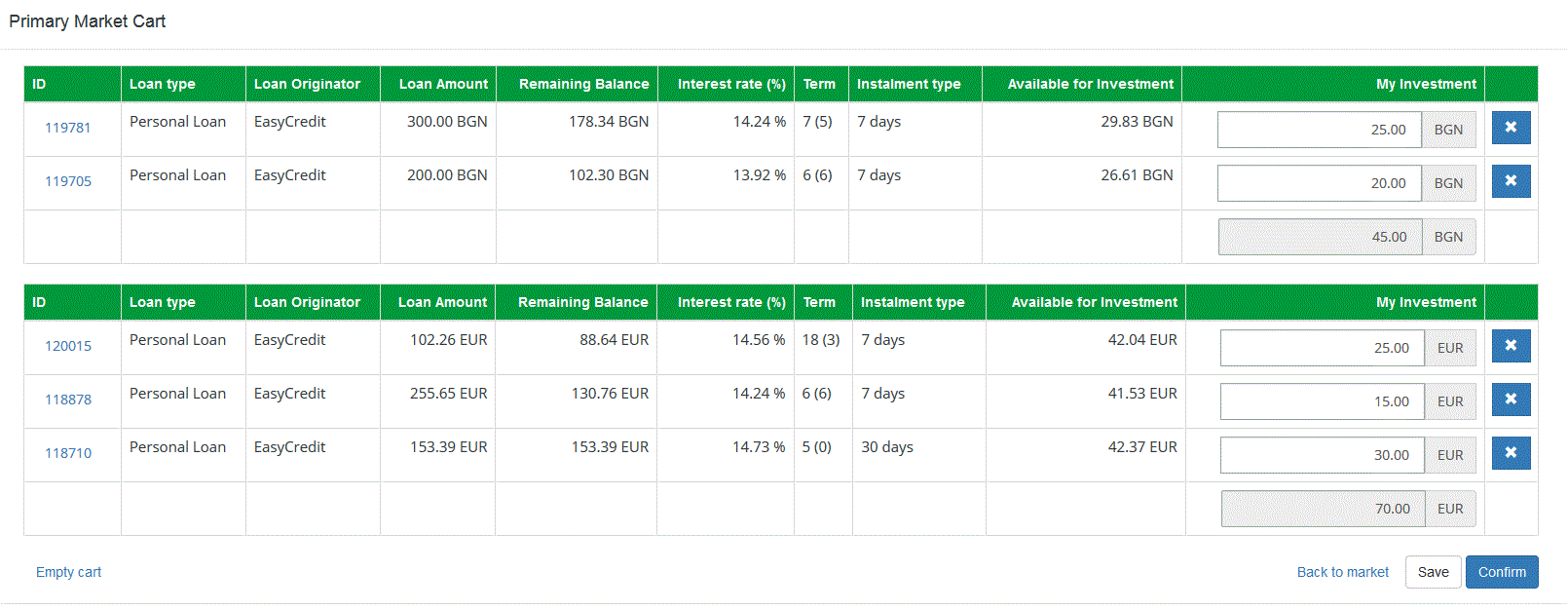
The cart is a proven useful feature for the primary market, that can help you manage your receivables.
When you choose a loan to purchase in and the sum you would like to purchase, your selection of loans will go into the “Cart”. You can add loans multiple times and set different receivable criteria using variety of filter combinations. All receivables will be saved in your “Cart” and sorted by currency. Even if you log out from the portal your receivable will continue to be saved in your “Cart” and you will be able purchase in them on a later moment.
The “Cart” also gives you the opportunity to manage your receivables. You can increase or decrease the receivable amount, you can add or remove loans and you can sort them by currency.
A good strategy would be to save in your cart loans in which you are expected annual returned as receivable opportunities and then periodically check their status to decide if you would like to purchase in them. Keep in mind that when you add loans in your receivable cart it does not mean that you are reserving the receivable amount. Other users will be able to purchase in a loan that you’ve put in your cart.
- Loan details pop-up window
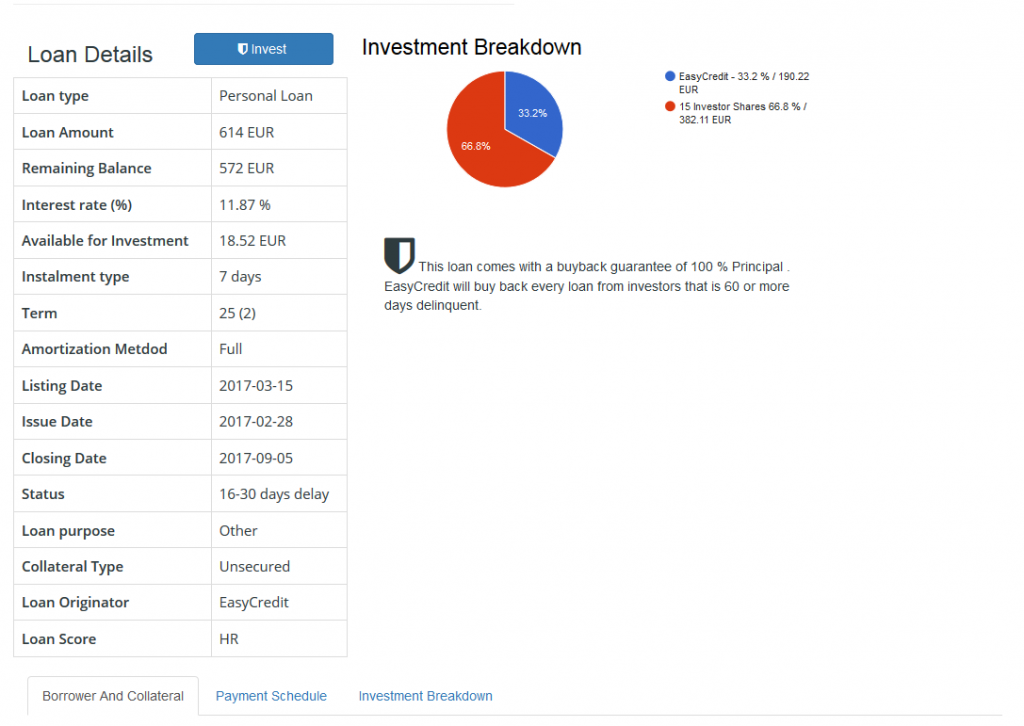
When you want to check the loan details (Borrower and Collateral, Payment Schedule and Receivable Breakdown) by clicking on Loan ID, the details will appear in a pop up window. The option is very useful for users who prefer to use Filters as the pop up helps in selecting the appropriate credits and in choosing those that best suit user preferences. Borrower and Collateral, Payment Schedule and Receivable Breakdown is information which defines each user’s strategy and the quick access to it will help you to effectively considerate and compare loans. Moreover, the Purchase button within the pop up window will help you to purchase quickly and will shorten the required steps on the user’s end.
- New indication
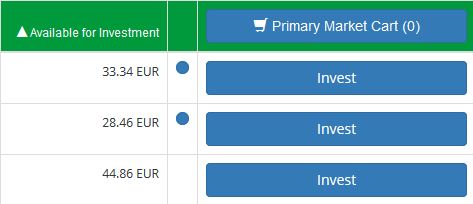
To help you in your user journey we have also added a new indication in the form of a blue dot next to the “Purchase” button on our primary and secondary markets. The blue dot indicates that you have purchased in this particular loan. The indication helps you identify quickly your receivables and you do not need to set additional filters or check “My receivables” to find the loans in which you’ve purchased. Regular servicing of the loan and good profitability are some of the main reasons to purchase again in the same loan. The new indication makes this possible without prior examination of all loans.
The new features at iuvo give you more detailed and quick access to all loans on the portal. They optimize the purchasing of receivables process and create more opportunities for short-term receivable planning.
To view the new features and generate a return of up to 15%, register now!
The funds purchased via the portal are not add fundss and therefore they are neither protected by the law, nor their return is guaranteed. The portal’s activity is not legislatively regulated by laws concerning receivable brokers.